|
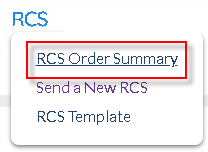
<< Click to Display Table of Contents >> RCS - Order Summary Page |
  
|
|
<< Click to Display Table of Contents >> RCS - Order Summary Page |
|
RCS Order Summary page allows Users to view the list of RCS Orders create, while being able to filter out Orders based on specific fields.
|
SOPRANO MEMS implements RCS effectively to bring a holistic messaging experience. MEMS Users can use the RCS feature to send Rich Media messages to customers.
|
Users in the RCS Home Page can launch a new RCM message, choose RCS templates etc.
|
Launch new RCS Orders using this button |
|
If Users have created RCS Templates, invoke them from this space.
|
|
Use this button to access and update the RCS Company Preferences. |
RCS - Media Limitations and Best Practices