|
<< Click to Display Table of Contents >> Using Pull Workflow Messages |
  
|
|
<< Click to Display Table of Contents >> Using Pull Workflow Messages |
|
Pull Workflow messages are workflow messages that have been set up by your organisation to be accessed on demand in the GAMMA app. These messages can be requested when needed and will be sent to a device instantly.
Access pull workflow messages by tapping the Workflows tab. All of the workflow messages available to you will be displayed in alphabetical order. Users may also access the pull workflow messages from the workflow conversation thread in the Recents tab.
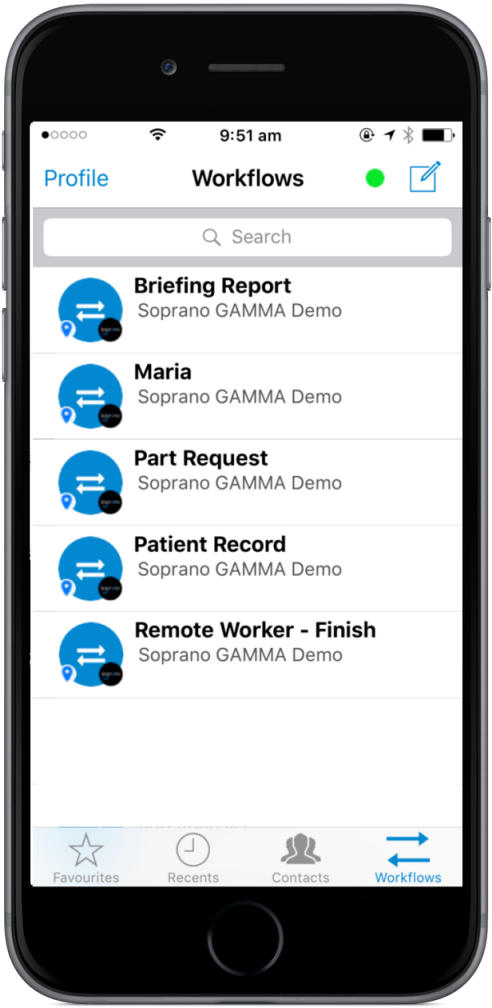
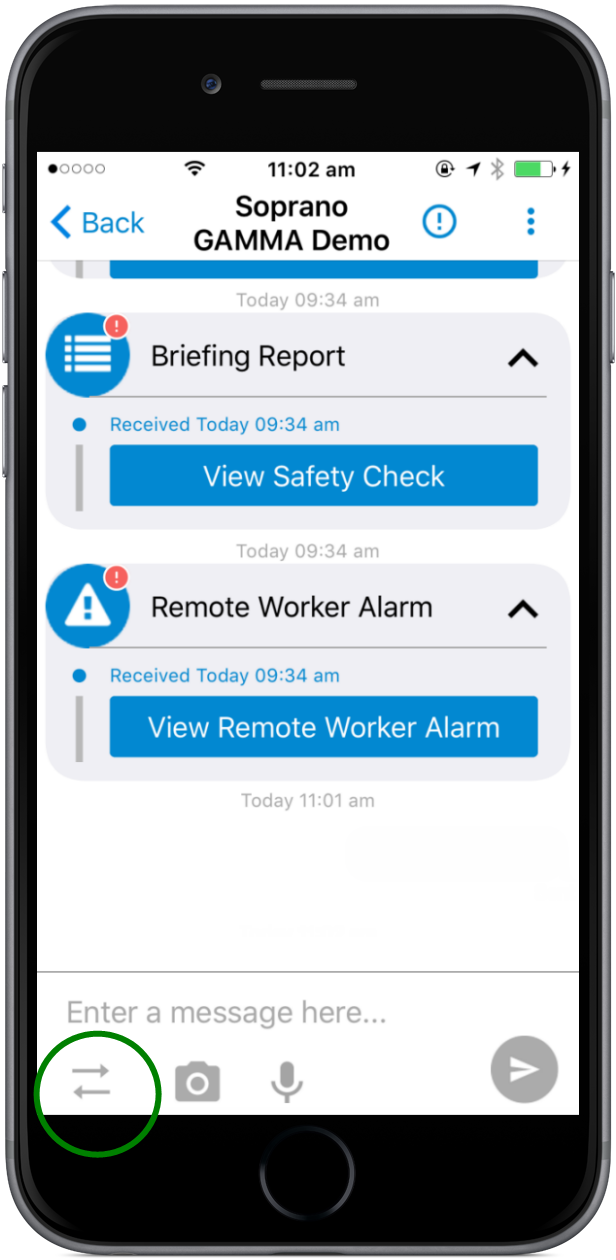
Choose the workflow you wish to use and tap it. The Workflow will be sent to your device immediately and will open, ready for completion. In the case where multiple workflows are being processed, you may receive a message saying that the message is queued. Tap ok then navigate to the Recents tab - the workflow will be sent like a message. You will then need to open the message. An example of a workflow message is shown here.
|
You can then tap the fields and either enter text, select checkboxes or radio buttons or choose from the drop-down options as required. Once you have completed filling out the form, press submit.
If the Workflow Message has buttons for the response options, tap the button that corresponds with your intended response. GAMMA will then collate all of the required information from your response and send it back to the sender of the form. The response will appear in the workflow-thread in the Recents tab.
|