|
<< Click to Display Table of Contents >> Sending Messages |
  
|
|
<< Click to Display Table of Contents >> Sending Messages |
|
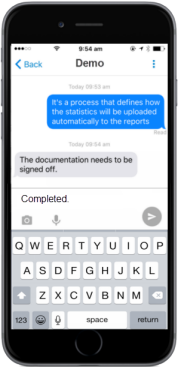
Locate the contact you would like to send the message to and tap on their name. You will be shown a conversation screen. If you have not sent that contact any messages or have freshly installed GAMMA , the screen will be blank.
*Click to expand
GAMMA is designed to compose and send messages even when the user is offline. The app will store your messages in pending status and will send them automatically when the user is online. |
|
Supported File Types •JPG •GIF (static only) •PNG •BMP
There is no maximum file size limit when sending through the mobile app as the image will be compressed upon sending.
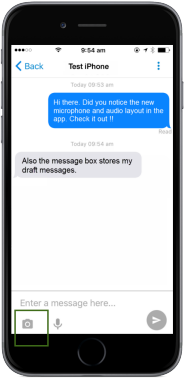
The Send Image process is identical to the Send Text process except for the way you choose content. Instead of entering text in the message composition screen, press the Camera icon.
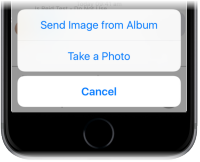
Follow the on-screen prompts to either use a photo from the gallery or take a new picture using the camera. For iOS, you will be prompted with a frame to crop the image into a square.
IMPORTANT: The image will start sending immediately upon releasing Choose or the equivalent function. Please allow a few moments for the message to complete sending.
How to check the message status? Click here. |
Recording and Sending Audio Clips
Supported File Types
(Maximum attachment size: 5MB)
•AAC •MP3 •WAV
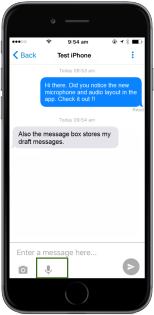
The Send Audio process is identical to the send image process except for the way you choose content. Instead of tapping the camera icon in the message composition screen, tap the microphone icon.
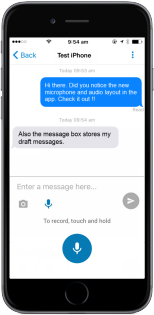
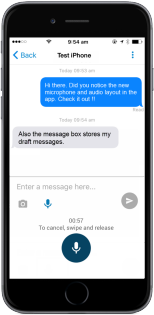
SOPRANO GAMMA will display the microphone tray when you press the microphone icon.
User can touch and hold the microphone icon to begin recording. The message duration will be displayed on the screen while audio is being recorded. User can release the microphone icon to send it to the recipient. The maximum duration of a recording is 1 minute.
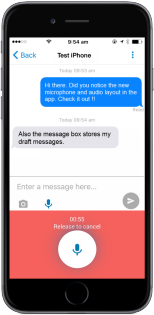
Users have the option to cancel the message by swiping and releasing the microphone icon. The instructions to record, cancel and send audio message is displayed on the microphone tray as shown in the image. The audio message will appear in the chat thread with the total clip duration displayed on the right end of the audio.
IMPORTANT: The audio will be sent immediately upon releasing the microphone icon. Please allow a few moments for the message to complete sending.
While recording is in progress, if the user slides the finger off the microphone, the tray will turn red and display – ‘Release to cancel’. Please note that recording will still continue and user can resume by sliding the finger back to the microphone.
|
|
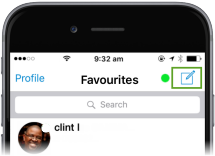
 > New Message in Android, from any of the GAMMA tabs.Then type the name or the phone number of the person you want to send the message to in the