|
<< Click to Display Table of Contents >> Advanced Emailer - Performance Analysis - Points |
  
|
|
<< Click to Display Table of Contents >> Advanced Emailer - Performance Analysis - Points |
|
Points provide a way for contacts to be properly weighted. These points have both triggers and actions. Each term will be properly defined below to provide an understanding of how points function within overall marketing automation process.
Point Actions
Point actions are those times when a contact receives a change in their point total. These actions can be either positive or negative point changes and are based on a particular action as determined by an Admin.
A partial list can be seen in the screenshot below.
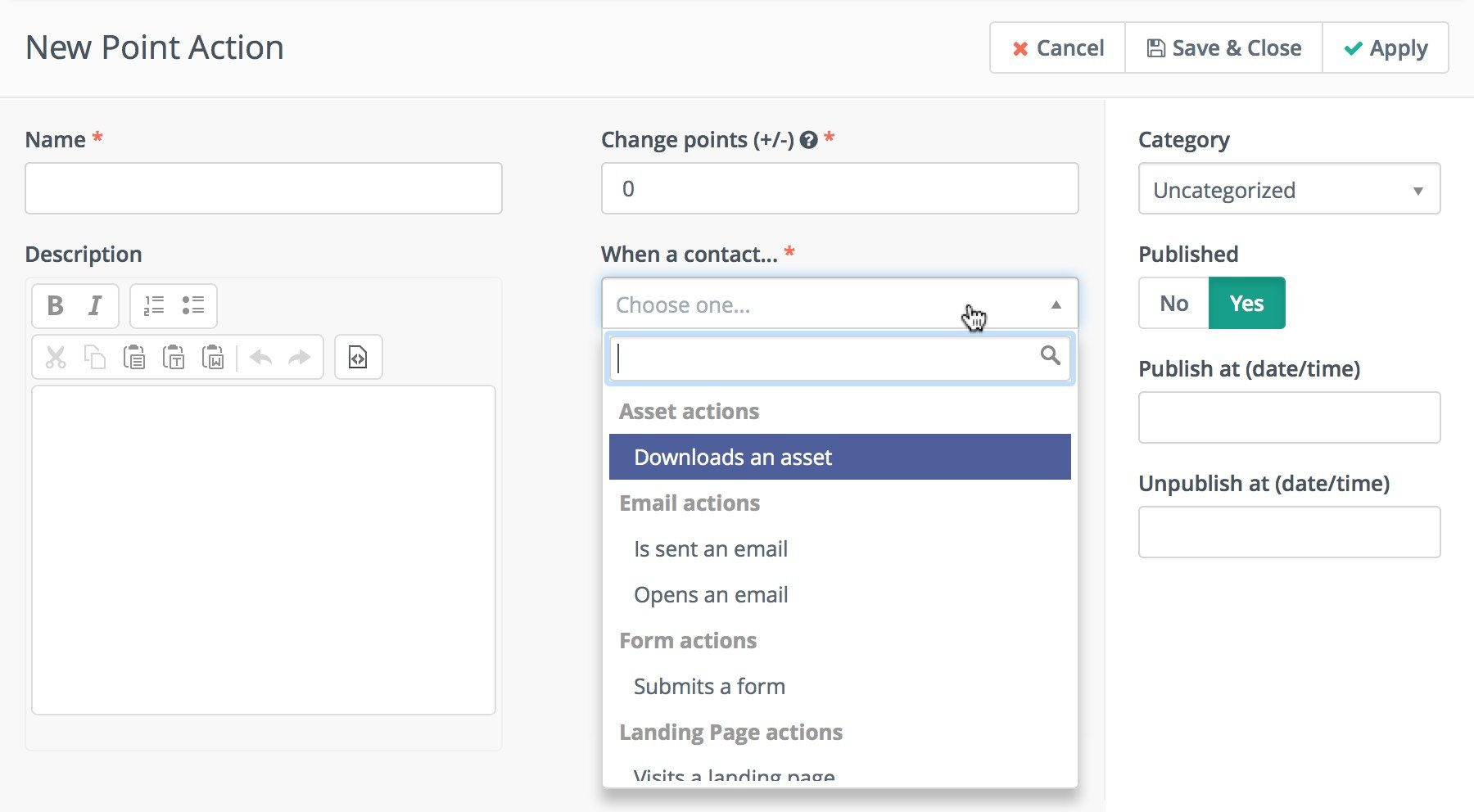
Clearly these actions can be expanded upon as needed. This is the essence of point actions. The other part of the points system are the triggers.
Point Triggers
Point triggers are resulting events which are fired based on the achieved point total of a contact. In simple terms, when a contact reaches a minimum number of points, the point trigger is fired and an action is performed.
When creating a point trigger Admins have the option to apply the trigger to all existing and applicable contacts as well as new contacts.
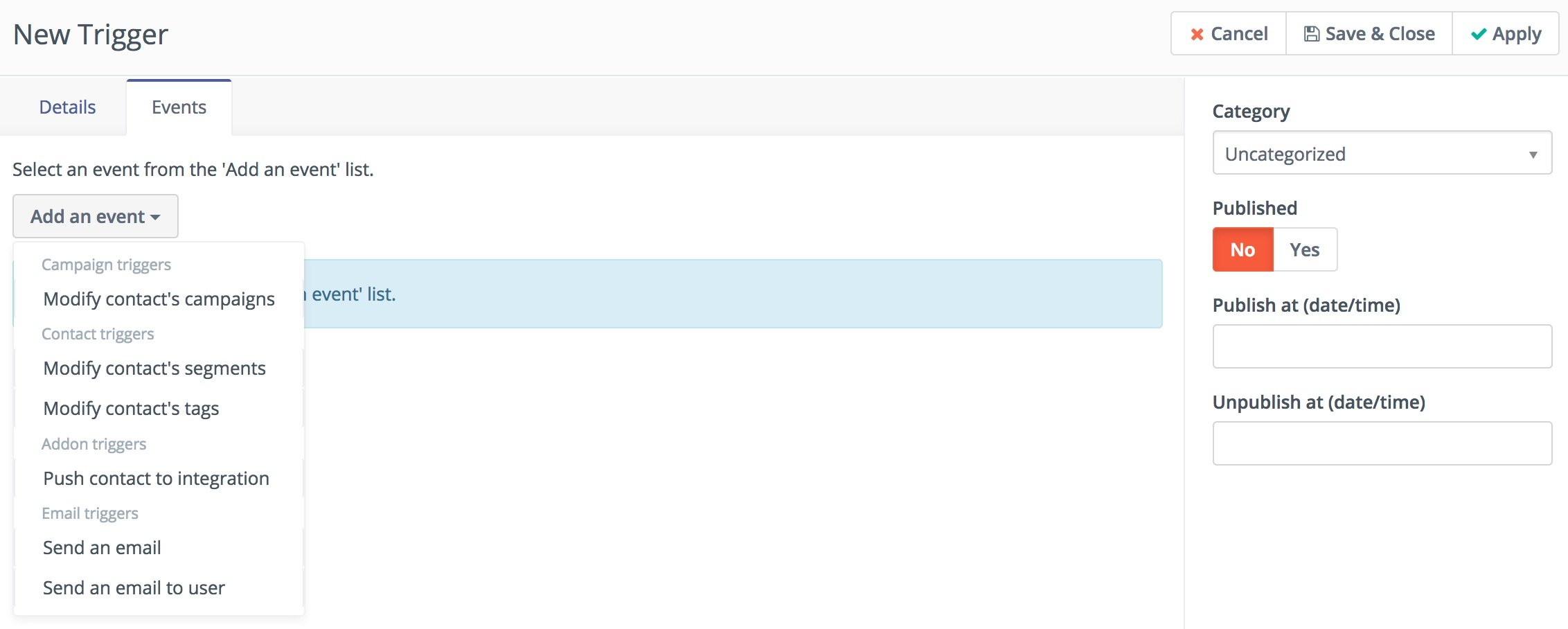
These point triggers and associated events are also fully customizable.
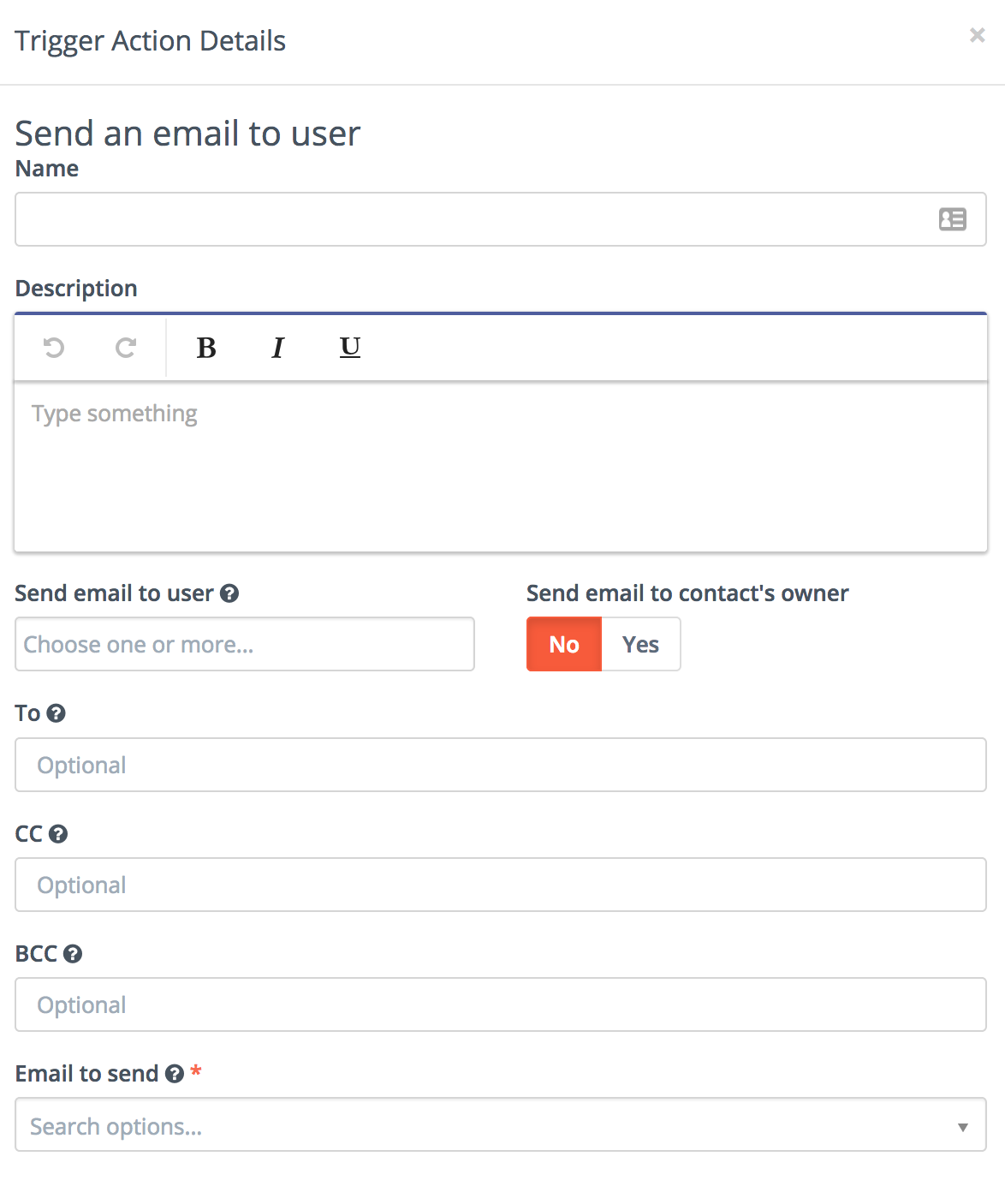
Send an email to user
This event lets Admins send an email to any user or any email address:
Note:
•If Admins select an User and check "send email to contact's owner" option, both contact will be notified.
•If a user has no owner or owner is same as user, only one email will be sent.
•Admins can add more emails to "to", "cc" and "bcc" fields (comma-separated emails (,) ). Admins can add space after each coma.
•Notification will be sent to all address - user's email, owner's email, to, cc and bcc.