|
<< Click to Display Table of Contents >> Voice IVR Overview |
  
|
|
<< Click to Display Table of Contents >> Voice IVR Overview |
|
In the below example, we are setting up an IVR to complete a PIN pending transaction with our end-user Simon. We must have access to SOPRANO MEMS Voice & Inbound solution as a prerequisite in order to generate an automated flow with ease and zero coding effort.
We've depicted platform's automated actions on the left and end-user experience on the right side of the below flow. Notice the product being utilised at each step in the left most bar and follow the sequence step-by-step:
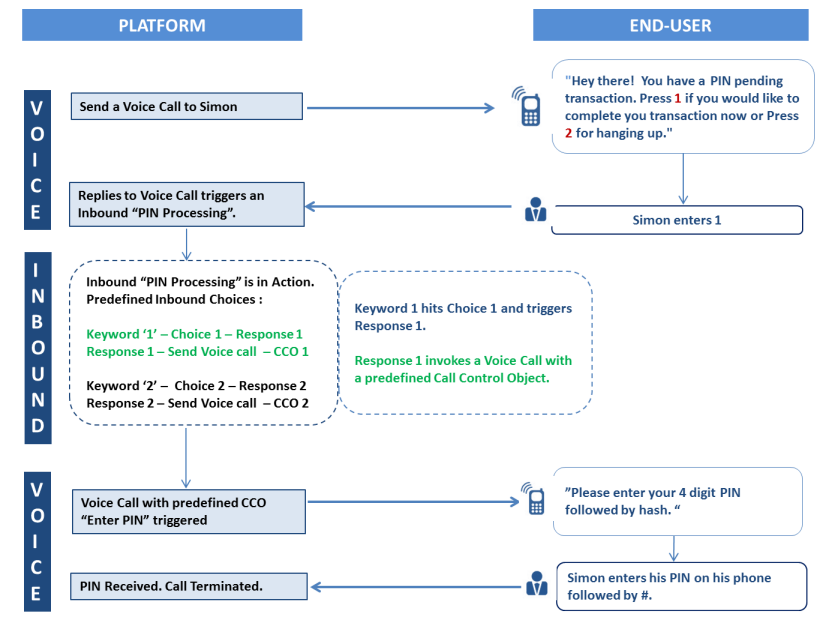
Check out Voice Features & Inbound Features to learn more about benefits and capabilities of the products. Multiple other scenarios can utilise the benefit of Voice IVR.
Use Voice IVR for :