|
<< Click to Display Table of Contents >> Users - User Licences |
  
|
|
<< Click to Display Table of Contents >> Users - User Licences |
|
Overview
The 'User Licences' screen enables a Customer Administrator to quickly see what licences have been applied to their user base.
|
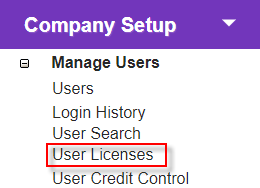
Click the 'User Licences' link in 'Company Setup > Manage Users' to open the 'User Licence Summary' screen.
Manage user licences from here. |
Description
|
Summary
|
|
Edit licence details for user. |
Tick check box next to licence to assign it to a user.
|
|
Complete licence assignment
|
|
Discard changes and exit.
|