|
<< Click to Display Table of Contents >> Users - User Search |
  
|
|
<< Click to Display Table of Contents >> Users - User Search |
|
Overview
'User Search' enables Administrator(s) to search for a specific SOPRANO MEMS user.
|
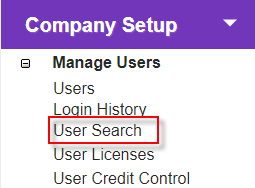
Click the 'User Search' link in 'Company Setup > Manage Users' to open the 'Platform User Search' screen.
Find, view and edit SOPRANO MEMS users from here. |
Description
Platform User Search |
Search Options
|
Available filters are:
•Username (email address)
•Customer Name
•User ID
•First Name
•Last Name
•Alias
At least one search filter is required.
Search Results
Click a username to view details, and edit if required.
Click a customer name to view details about the user's owner (usually a company or department name).
|