|
<< Click to Display Table of Contents >> Profile Picture |
  
|
|
<< Click to Display Table of Contents >> Profile Picture |
|
Your profile picture is a quick way your contacts can recognise you. Here is how you can add, update or remove your profile picture:
1. Login to the SOPRANO GAMMA.
2. For iOS, tap Profile to go to the settings page. For Android, select Profile from ellipsis icon on top right.
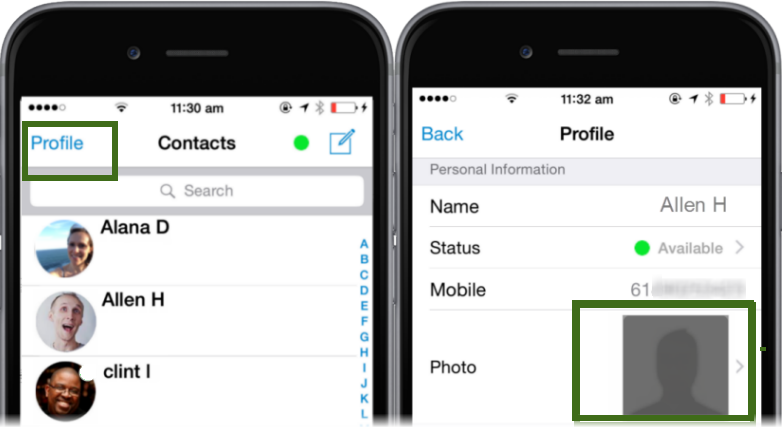
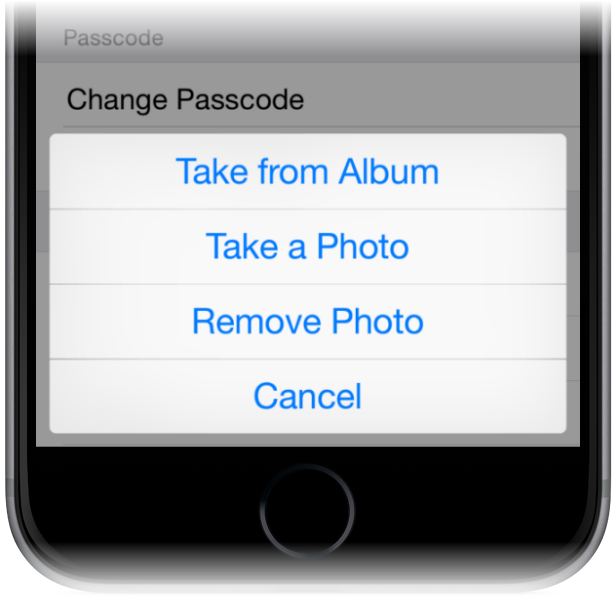
3. Tap the Photo field. Below options will appear on your app:
•Take from album •Take a photo •Remove photo •Cancel |
|
Select the required option to upload your profile picture or 'Cancel' to exit and go back to the settings.