|
<< Click to Display Table of Contents >> RCS - Channel Preferences |
  
|
|
<< Click to Display Table of Contents >> RCS - Channel Preferences |
|
Overview
Set up your RCS preferences from this section. Company RCS preferences can only be changed by Customer or Platform Administrators.
|
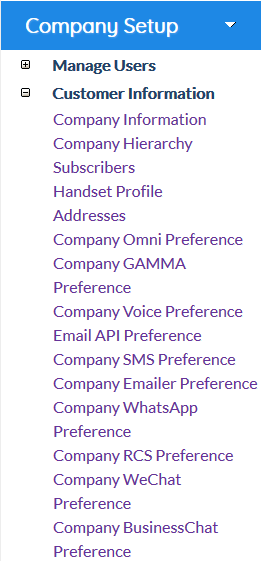
Click the 'Company RCS Preference' link in Company Setup > Customer Information menu.
View or edit your company's RCS settings here. |
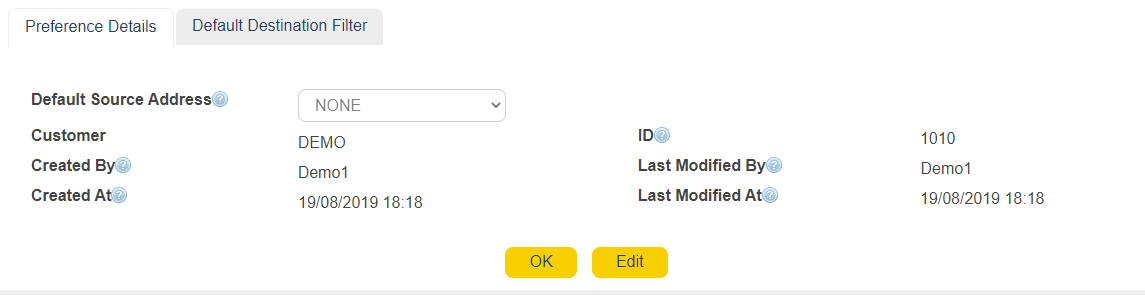
Default Source Address
|
Choose the default address source to send out RCS messages
|
|
Customer
|
Provides information on the RCS Order's Customer
|
|
ID
|
Order ID
|
|
Created By
|
User who created the Order
|
|
Created At
|
Order creation date and time
|
|
Last Modified By
|
User that modified the Order last
|
|
|
Time of last modification
|