|
<< Click to Display Table of Contents >> Portal Settings - Roles |
  
|
|
<< Click to Display Table of Contents >> Portal Settings - Roles |
|
Roles are used in Advanced Emailer to control what resources and actions a user can access.
Creating a New Role
To create a new role, navigate to Roles using an Administrator account via the Settings cog  at the top right of the screen and selecting 'Roles'. Then click on
  .
.
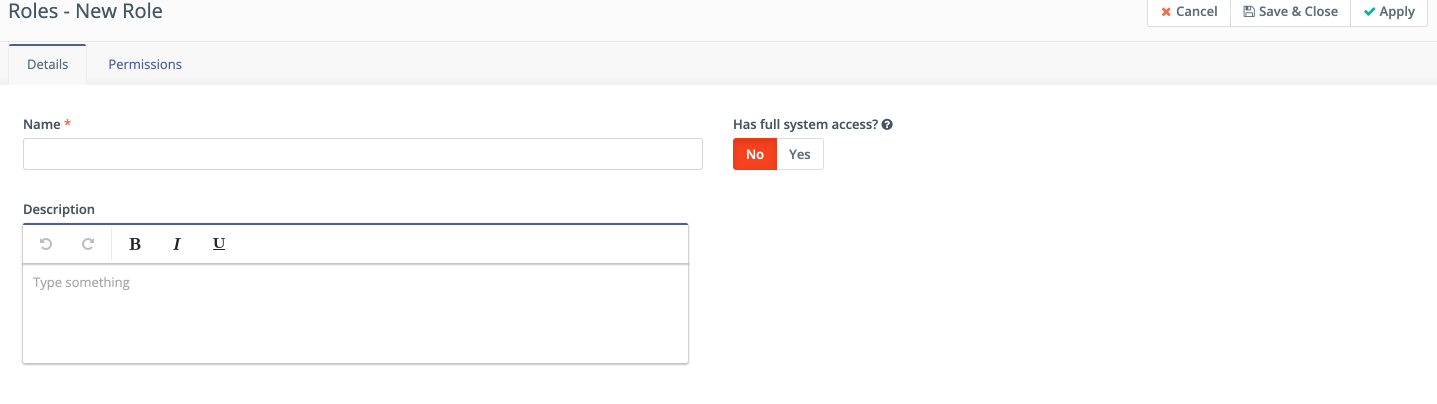
Full System Access
If you enable the 'Full System Access' switch, you are creating an Administrator account which has the highest level of access to the Advanced Emailer instance.
These accounts should be limited, and Users must ensure that they have secure credentials.
If Users select this option, you will not be able to configure anything under 'Permissions' because by default, this account has full access to everything.
Setting Granular Permissions
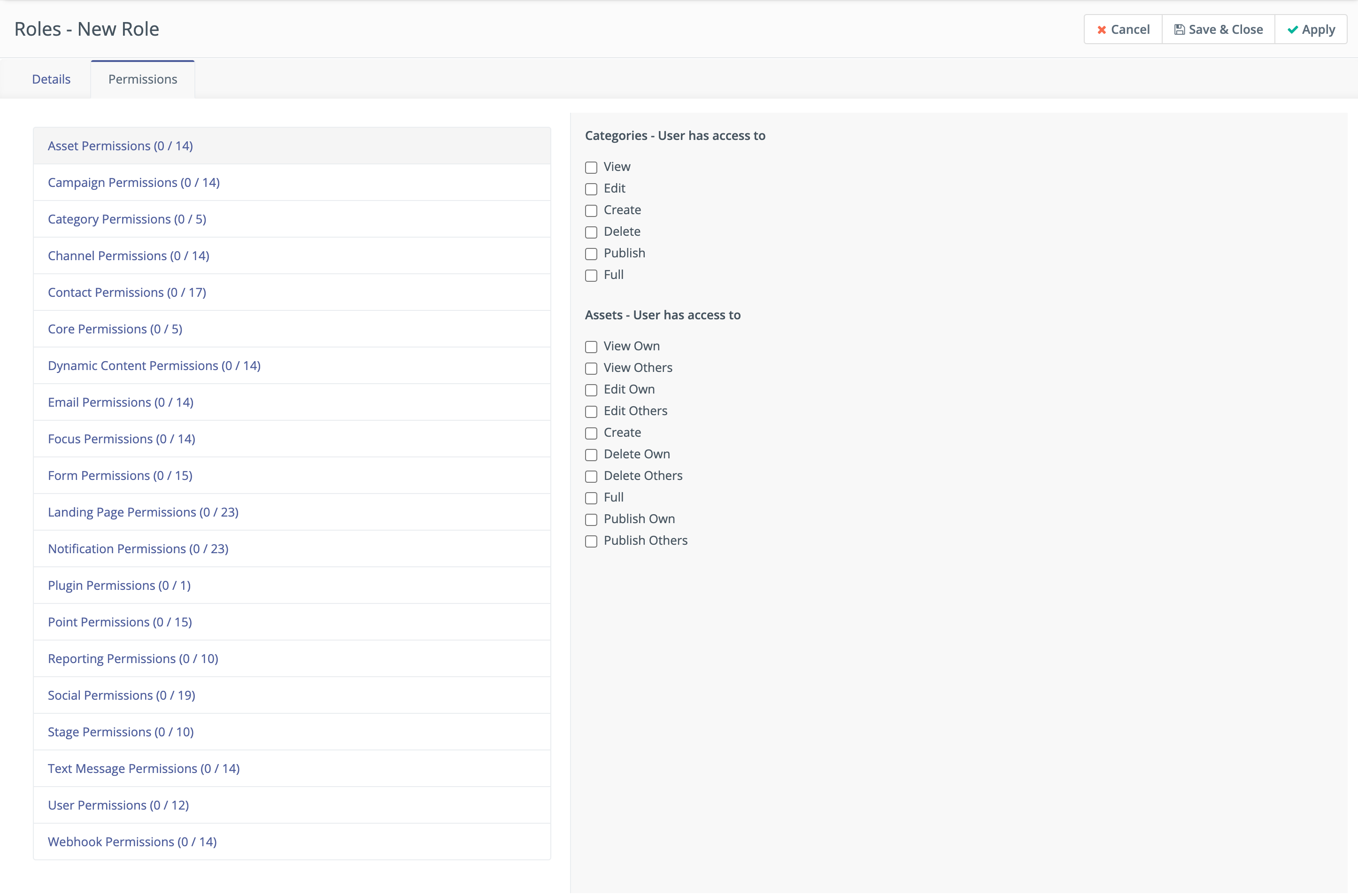
Advanced Emailer allows Users to create roles with granular permissions for each bundle(or part) of the system.
To configure a role, leave the Full System Access switch at 'No' and click on the Permissions tab to start building the role.
Permission Options Explained
There are several different permission options that can be selected:
• View - Allows the users with this role to view this part of Advanced Emailer
• Edit - Allows the users with this role to make changes to this part of Advanced Emailer
• Create - Allows the users with this role to create new resources in this part of Advanced Emailer
• Delete - Allows the users with this role to delete resources in this part of Advanced Emailer
• Publish - Allows the users with this role to make resources in this part of Advanced Emailer available by publishing them
• Full - Allows the users with this role all of the permissions above
There are permission levels relating to resources the user has created themselves, and those created by others:
• Own - Allows the users with this role to view/edit/delete/publish their own resources in this part of Advanced Emailer, but not those created by others
• Others - Allows the users with this role to view/edit/delete/publish their own resources in this part of Advanced Emailer, and those created by others
There are permission levels relating to being able to manage resources:
• Manage - Allows the users with this role to manage resources in this area of Advanced Emailer (for example, managing custom fields or plugins)
There are permission levels relating to what fields in the Users section can be edited:
• Specified fields - Allow or deny the users with this role to edit specified fields in the Users section (For Example ; Name, Username, Email, Position)
• All - Allows the users with this role to edit all fields relating to the Users section
Currently Advanced Emailer hosts the following roles:
•Customer User
•Platform Admin
•Super Admin
