|
<< Click to Display Table of Contents >> Application Licences - Assign an Application Licence |
  
|
|
<< Click to Display Table of Contents >> Application Licences - Assign an Application Licence |
|
If you have provisioned additional product licences for the customer, you can assign specific licences to each user.
|
Search Options
|
|
Start searching using the selected filters.
|
Summary
|
Click a customer name to view/edit details or select one of the following actions:
|
Change details
|
|
Delete. |
Once you have selected a customer, go to the 'User Summary' section.
|
|
Under the 'User Summary' section, find the user you wish to add licences to and click  next to the user's name.
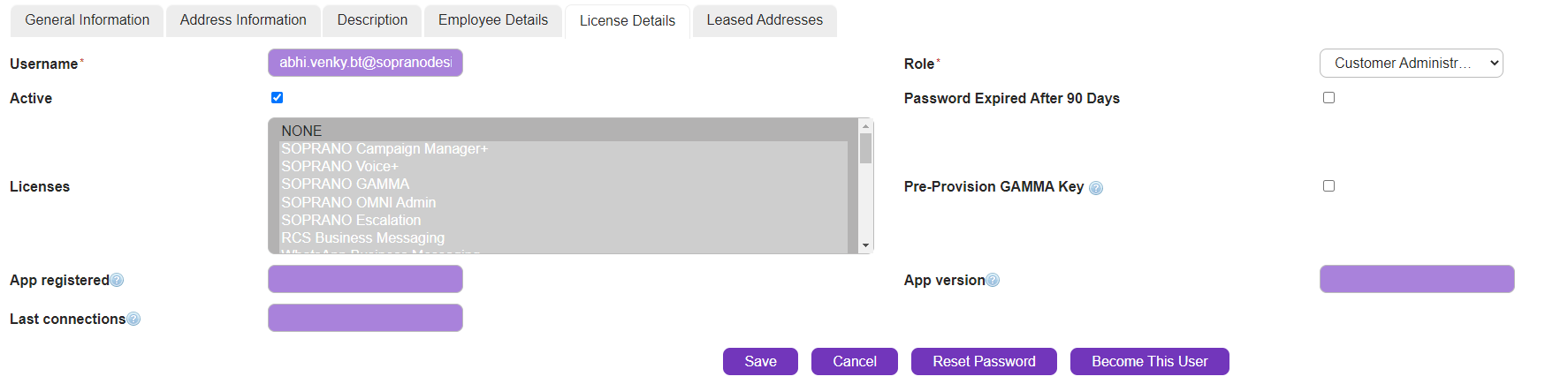
This will take you to the 'User Edit' screen. Go to 'Licences' section and select the licences that you wish to assign to the user.
|
Click  . The 'User Details' page is displayed. Repeat this process for each required user.