|
<< Click to Display Table of Contents >> Advanced Emailer - Filter Based Dynamic Content |
  
|
|
<< Click to Display Table of Contents >> Advanced Emailer - Filter Based Dynamic Content |
|
This feature allows Users to configure filters (like in segments) so a Landing Page with a DWC (Dynamic Web Content) token or slot can display content based on specific conditions.
Step 1 : Create or edit a Dynamic Web Content item
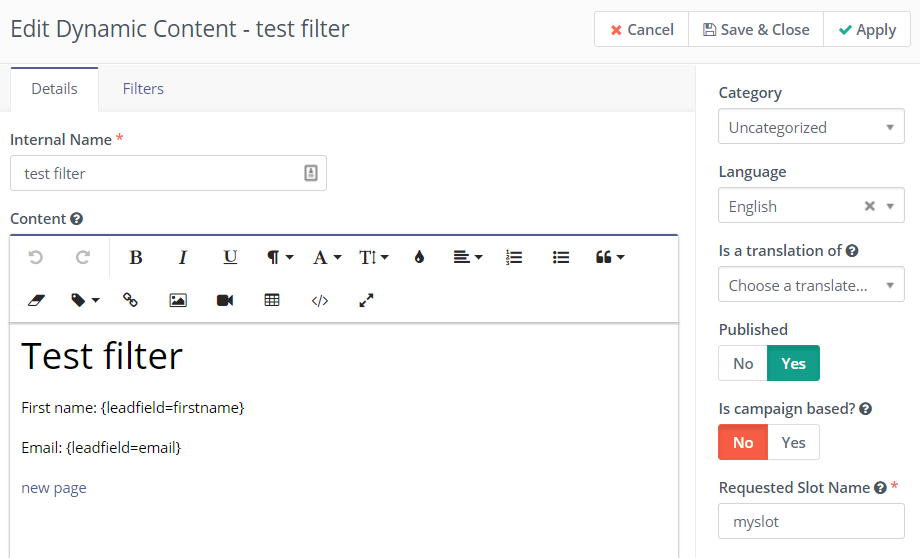
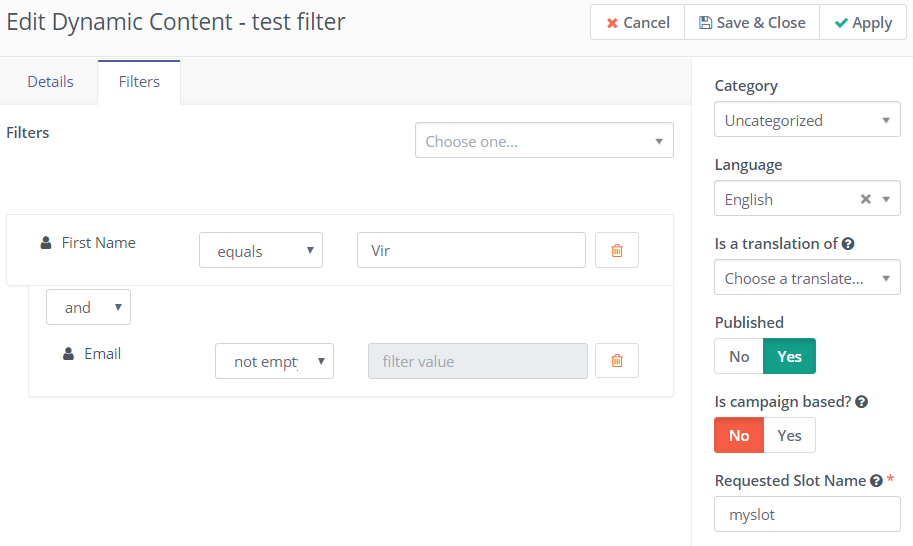
Step 2 : Toggle the "Is campaign based" button to No (Notice how when No is selected, the "Slot Name" field is available and the filters tab is displayed so new filters can be created.
Step 3 : On a landing page, add a token or a slot for the new dynamic web content you just created.
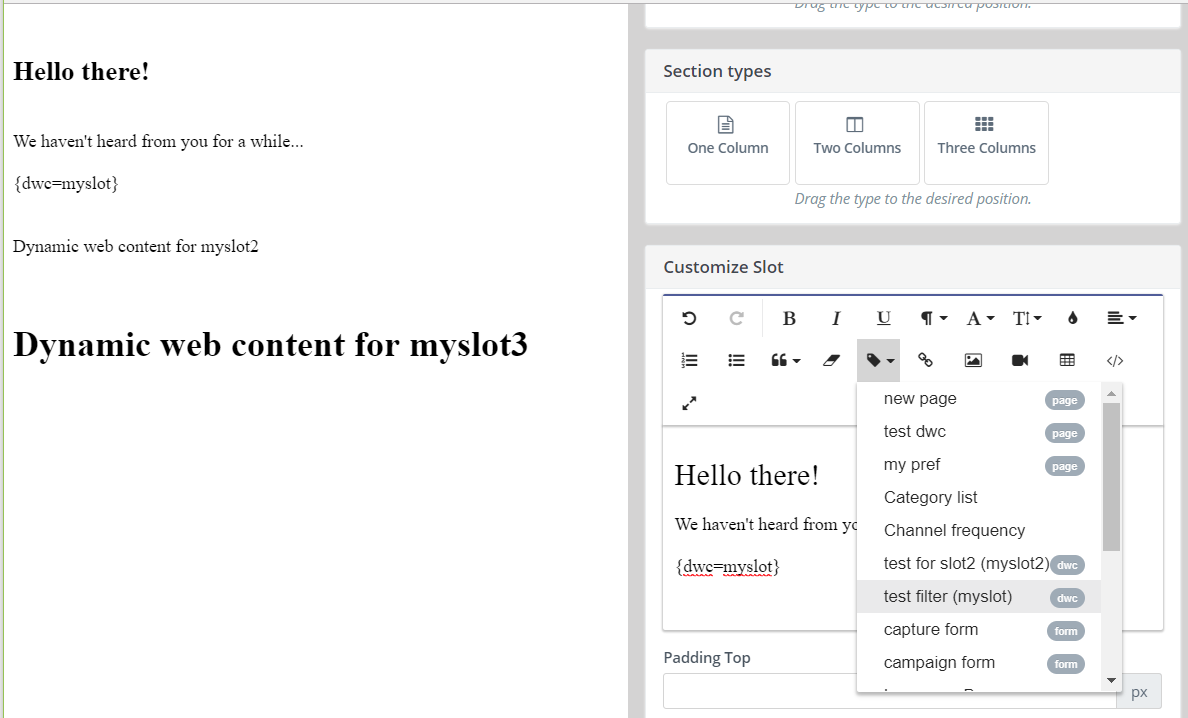
Step 4 : When using DWC slots, you need to provide the requested slot name.
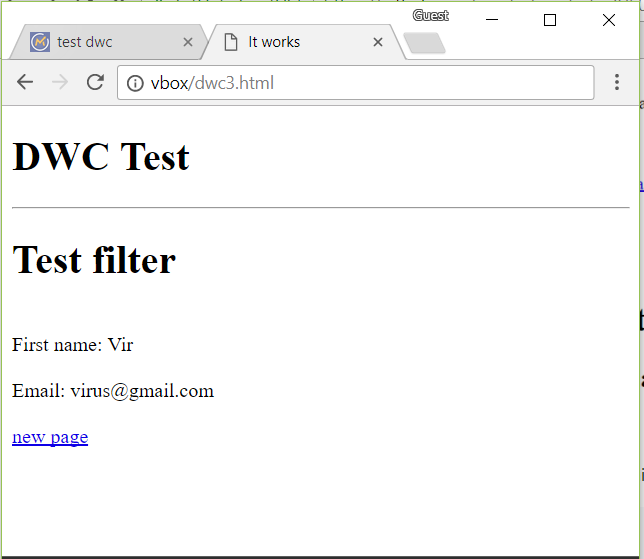
Step 5 : When someone visits the page and if the conditions on the filters are met, the DWC will be displayed.
Step 6 : To add a DWC item with filters in a third party page, you can use the following code (just change myslot in data-param-slot-name="myslot" to the Requested Slot Name of your DWC item):
<div data-slot="dwc" data-param-slot-name="myslot"> |
Step 7 : Again, when Users visits the page, the DWC slot will be replaced if the filters match: