|
<< Click to Display Table of Contents >> Advanced Emailer - Campaign Based Dynamic Content |
  
|
|
<< Click to Display Table of Contents >> Advanced Emailer - Campaign Based Dynamic Content |
|
Follow the steps below to configure Campaign based Dynamic Content.
Add the default content
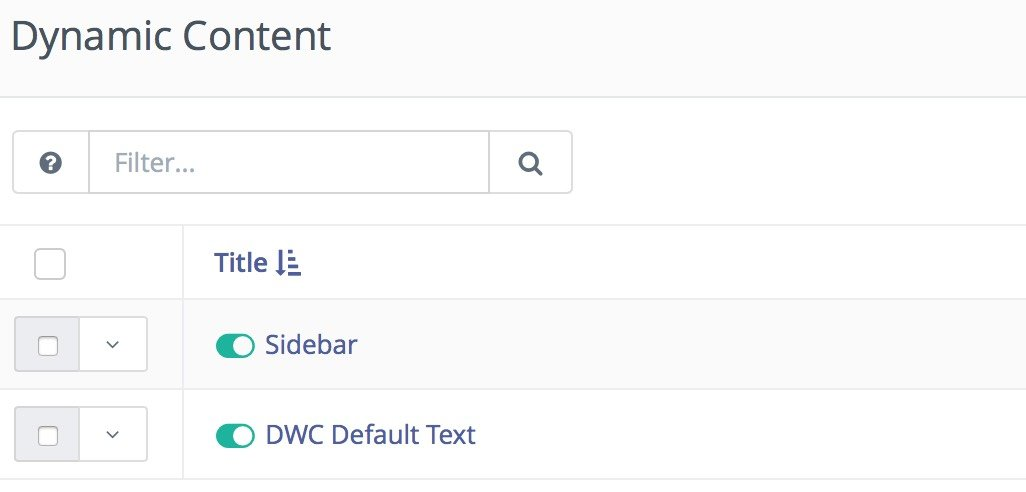
Add alternative content if required
Users can set up as many items as needed. The default will be delivered via the "Request Dynamic Content" decision in a campaign. If Users decide to push something different based on a set of criteria, create and deliver them here via a "Push Dynamic Content" action.
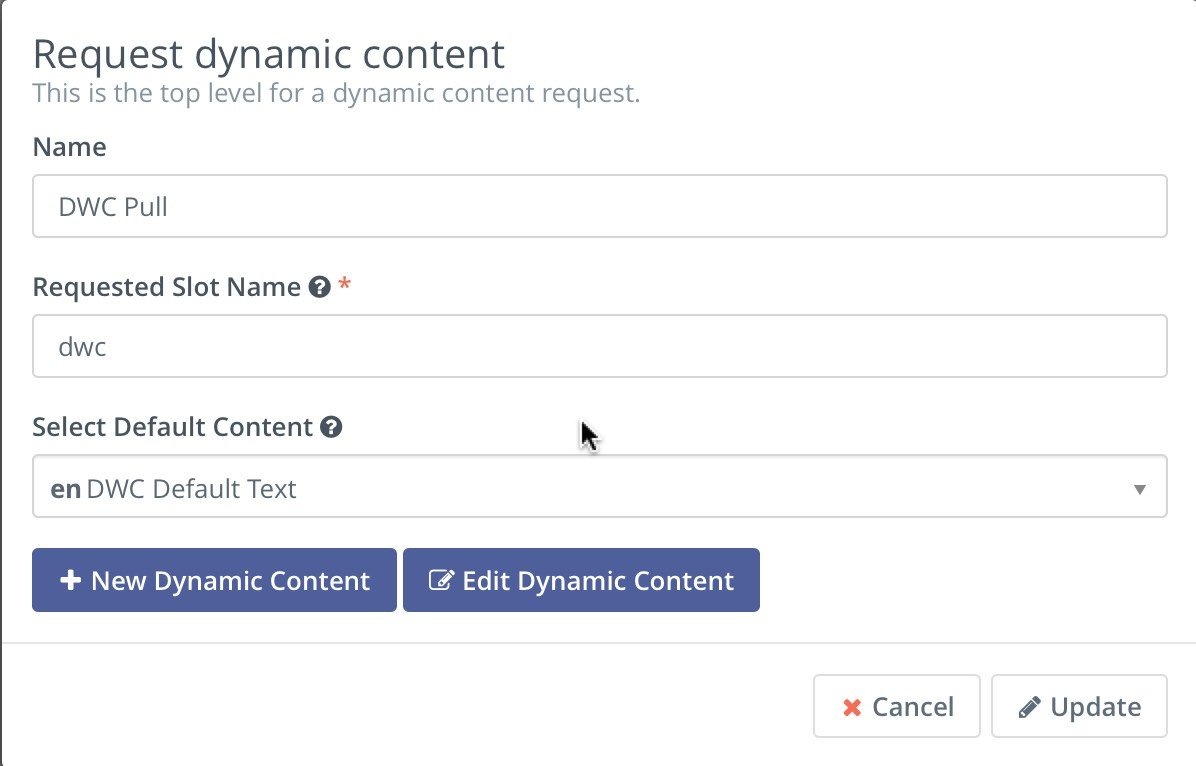
Add the dynamic content pull request in a campaign
The key to this step is naming the "slot". The name could be anything Users want as long as it is unique across your dynamic content campaigns. The pull request is processed and determines if the person on the landing page is a known contact.
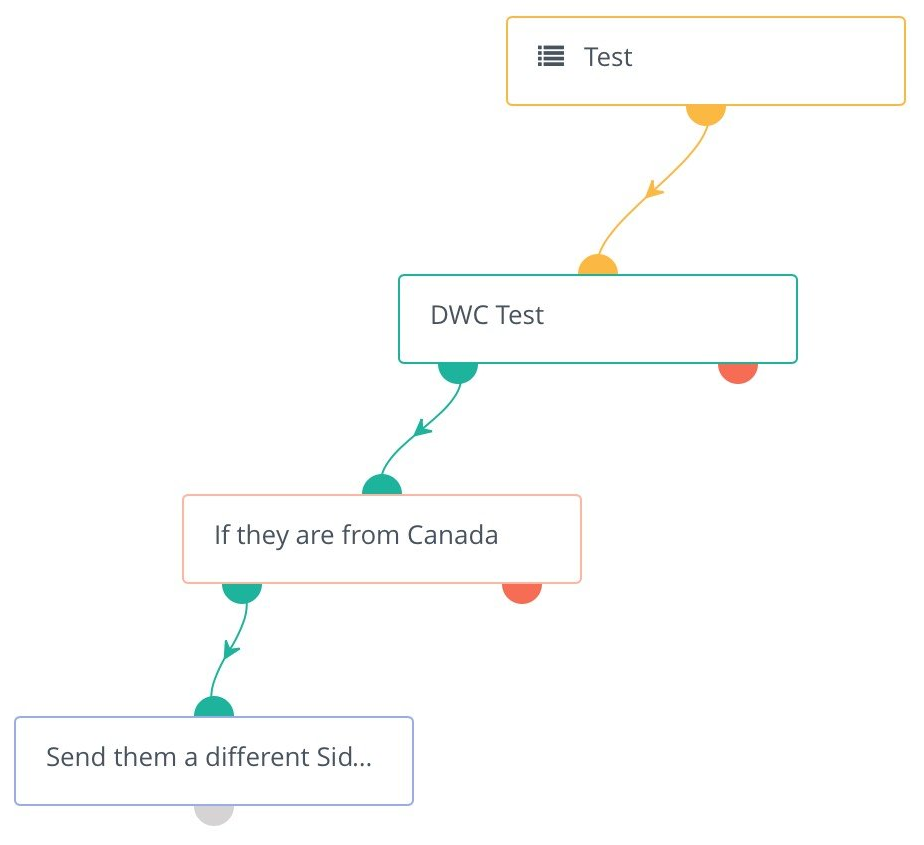
Add the push request in the campaign
If Users want to serve up different information based on certain criteria, use a push request.
1.If the User is known, they receive the content from the pull request.
2.If Users meet the criteria (in the example below - if they are from Canada), a different set of content can be delivered to the browser.
3.If Users are unknown, they will see the information embedded in the dynamic web content div from the page (see below).
Lastly, include the dynamic web content shortcode in your web page.
<div data-slot="dwc" data-param-slot-name="dwc"> |
Note : The data-slot-name matches the slot name in the campaign.
Translations
Dynamic web content supports translated content. When creating/editing a dynamic web content item, there are the options present to set a language and select a translation parent. By selecting a translation parent, the current item is then considered to be a translation in the selected language of that parent item.
Tokens
Dynamic web content supports these tokens:
•Contact Fields - example {contactfield=firstname}
•Page Link - example {pagelink=1}
•Asset Link - example {assetlink=1}
•Form - example {form=1}
•Focus Item - example {focus=1}