|
<< Click to Display Table of Contents >> Advanced Emailer - Create a New Form |
  
|
|
<< Click to Display Table of Contents >> Advanced Emailer - Create a New Form |
|
Users can create forms to be used within Advanced Emailer via the  button.
Users have the option to create one of two form types:
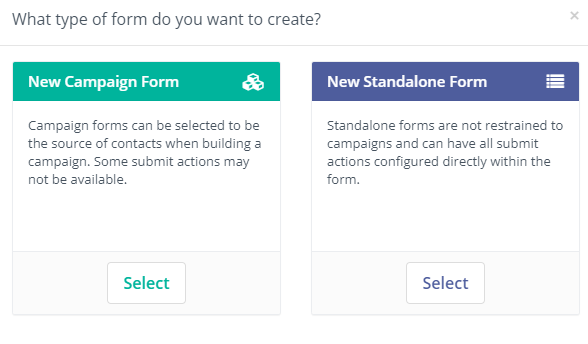
New Campaign Form - A form dedicated to working with Contacts to launch Campaigns. Some actions may be restricted.
New Standalone Form - A more flexible Form that is not restricted to type of messages being sent. All actions are accessible in Standalone Forms.