|
<< Click to Display Table of Contents >> Accessing Templates from the GAMMA Order Page |
  
|
|
<< Click to Display Table of Contents >> Accessing Templates from the GAMMA Order Page |
|
Click the GAMMA tab at the top of the user interface to open the drop-down menu.
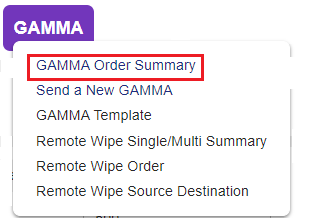
Select GAMMA and navigate to the GAMMA Order page.
Select the drop-down top choose any existing GAMMA template to begin initiating a GAMMA Order based on the information stored in the template.

Click  to display a dropdown list of templates and select the one you need.
The New GAMMA page will be opened. The message fields will be pre-populated with the details saved in template.