|
<< Click to Display Table of Contents >> Viber - Channel Preferences |
  
|
|
<< Click to Display Table of Contents >> Viber - Channel Preferences |
|
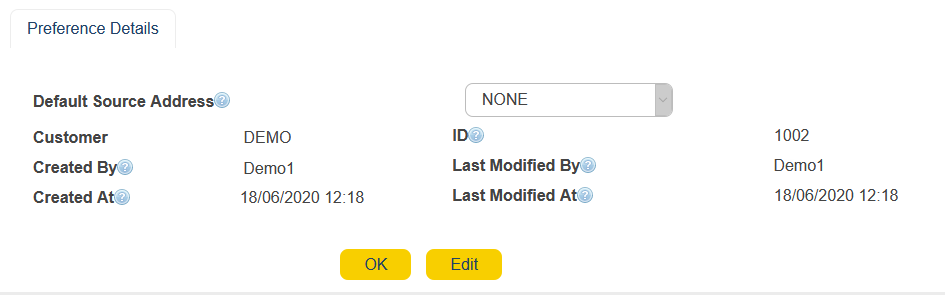
The Viber channel preferences can be used to modify and customize your particular channel characteristics. Reach the Viber preferences via the gear icon ( ) on the Order Summary Page.
Click on Edit to being configuring the same.
Default Source Address
|
Choose the default address source that is assigned to send out Viber messages.
Note: This has been assigned to you via MEMS when setting up your license.
|
Customer
|
Provides information as to who send out the Viber Order from your company.
|
ID
|
Order ID associated to Viber Orders. This is especially useful when you view your Viber channel Reports and can filter out by the Order IDs, in case you handle more than one communication channel (SMS< Email, Viber etc.)
|
Created By / Last Modified By
|
User who created the Preference or last modified the same.
|
Created At / Last Modified At
|
Time when the Preference was created or last modified.
|