|
<< Click to Display Table of Contents >> Disable GAMMA Application |
  
|
|
<< Click to Display Table of Contents >> Disable GAMMA Application |
|
GAMMA provides admin users the ability to disable other licensed user's GAMMA application, via the MEMS portal.
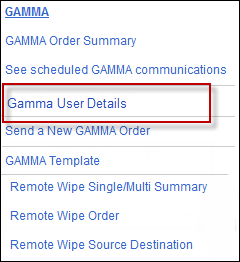
To disable GAMMA App via A2P, Click the GAMMA tab at the top of the user interface portal to open the GAMMA drop-down menu. Select the GAMMA User Details option.
In the User Details page, there is a option to the extreme right of the column named "Disable GAMMA App".
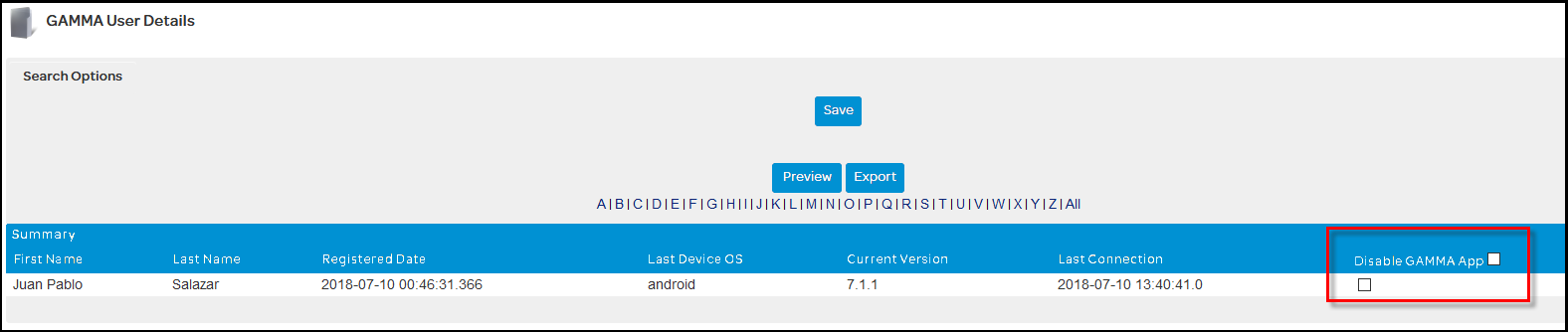
Admins can now individually choose users (check-box against names) or choose all users under their list (check-box near "Disable GAMMA App") to disable the GAMMA application and essentially lockout users from using the application.