|
<< Click to Display Table of Contents >> RapidAlert - Company Setup and Preferences |
  
|
|
<< Click to Display Table of Contents >> RapidAlert - Company Setup and Preferences |
|
Before you begin sending rapid alerts, you must set up the Message Preferences and the authorise Groups to be used in RapidAlerts. Rapid Alert preferences settings enables you to set up:
• Message Preferences
• RapidAlert Groups
The groups that would be defined here are the destination for sending your quick emergency messages.
Setup Steps:
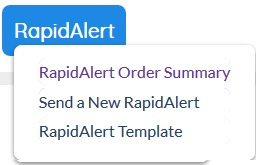
1. Click the TapidAlert tab and navigate to RapidAlert Order Summary:
2. Click on  button inside Order Summary to access RapidAlert Preferences: