|
<< Click to Display Table of Contents >> Logging into the Web portal |
  
|
|
<< Click to Display Table of Contents >> Logging into the Web portal |
|
In order to begin using the GAMMA web portal, a username and password must be provisioned along with the required user licences. User details are generally pre-configured in SOPRANO GAMMA by your provisioning team prior to use. You will receive an email containing your username, a temporary password and the login URL once all administrative setup is complete.
Open a web browser and navigate to http://$ DOMAIN_URL/. Type your username and password in the User Login panel.
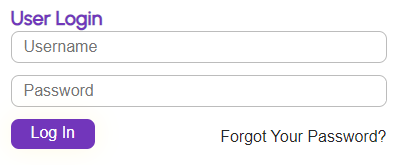
Username: A valid email address that has been provisioned in the SOPRANO GAMMA web portal. For new users, this is the same email address where the temporary password is sent when the account is created.
Password: A valid SOPRANO GAMMA web portal password. For new users, this is usually the temporary password sent to their username email address at the time their account is created. (You will be prompted to change your password at the first login).
Minimum length: 8 characters
Maximum length: 16 characters
Cannot have 3 or more single characters repeating (i.e. the password cannot contain 'aaa' or '111').
Must contain 1 or more of the following: 1 digit (e.g. 0-9); 1 upper-case alphabetic character (e.g. A-Z); 1 lower-case alphabetic character (e.g. a-z);
Click the Login button. If the login is successful, the GAMMA web portal will be opened. If this is your first login, you will be prompted to change your temporary password.
If the login is not successful, an error message will be displayed indicating the probable cause (usually incorrect username or password).
To reset your password click the Forgot Your Password link in the User Login panel and follow the on-screen instructions. If you are unable to log in, contact your account administrator or support team.