|
<< Click to Display Table of Contents >> Set Destinations |
  
|
|
<< Click to Display Table of Contents >> Set Destinations |
|
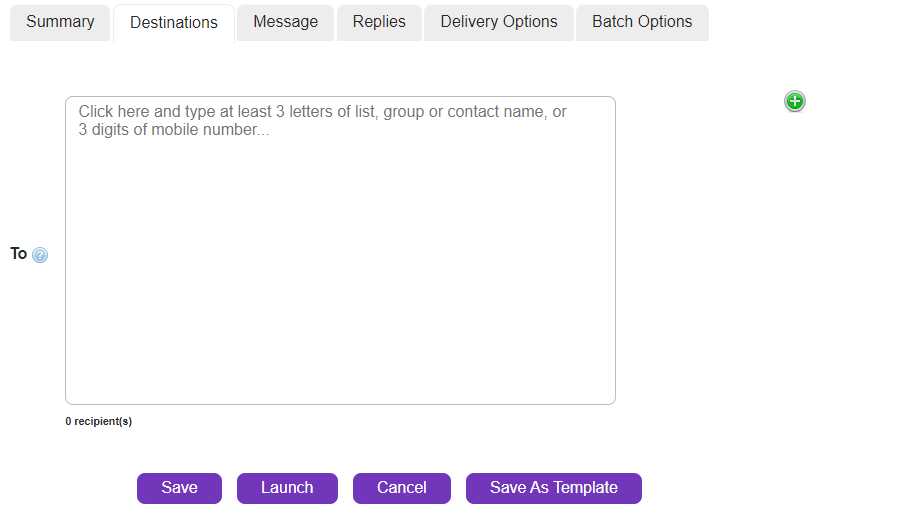
Destinations are your message recipients - either valid mobile numbers (MSISDN) or existing contacts from SOPRANO GAMMA Address Book. Select the Destinations tab.
|
There are 2 ways of selecting the destinations for the message content contained in a new order. At least one destination is required in order to launch an order.
Option 1
In the To field, typing at least three characters of a known contact name or mobile number launches the search functionality in the SOPRANO GAMMA contact database. You will be presented with a list of matches and can select one of the displayed records to accept it as a delivery destination.
If there are no existing matches found, type the full mobile number in international format. GAMMA will attempt to convert local formats to international however using international format is recommended. |
Option 2
In the To field, click
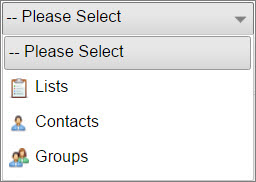
Select drop-down shows the option of Lists, Contacts & Groups.
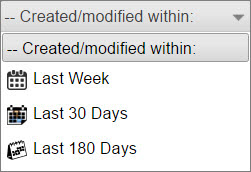
Created/Modified within - Allows three options - Last week, Last 30 days & Last 180 days.
Click |
 and browse groups, lists or contacts to find your recipients. Search browser will pop-up with two options to help you filter the results: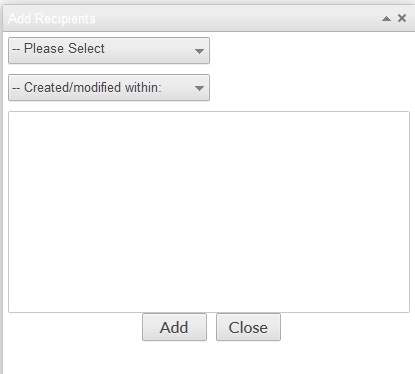
 to select. You can select multiple items by holding 'Ctrl' key while selecting.